
The events management suite
Live Events. Beautifully organized.
Plan events, coordinate your team, and manage ticketing in one connected suite.
Free to start on the Entry Plan — no subscription.
The suite
From the back office to the front door.
Three products built to work together: Operations for the work behind the show, Events for ticketing, and Access Control for admission. Start with one and add the others when you need them.
The back office
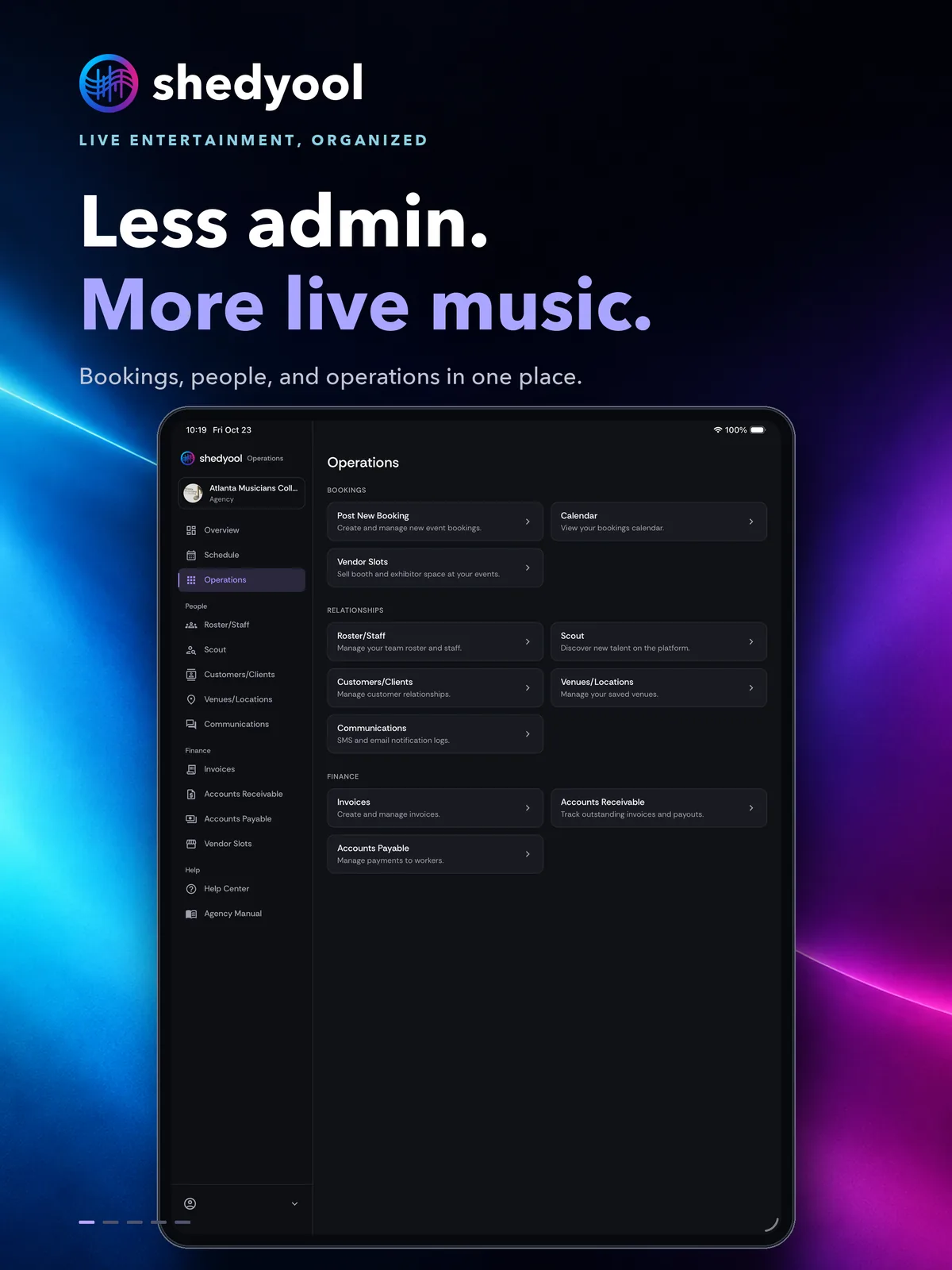
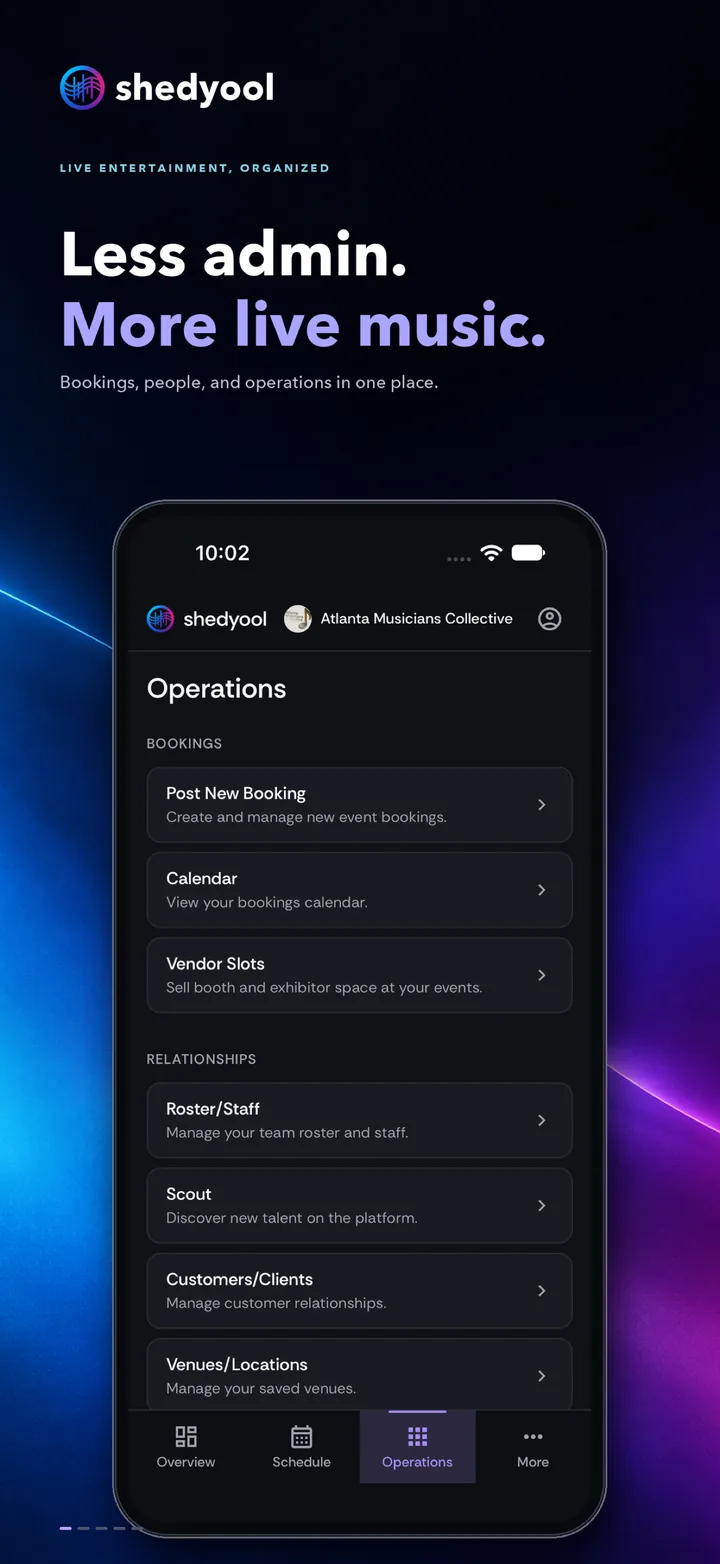
shedyool Operations
Book performers and crew, keep rosters and venues organized, and send invoices from one place.
Web dashboard · iPhone and iPad
Ticketing
shedyool Events
Publish event pages, sell tickets with a flat published fee, and run the box office.
Web dashboard for organizers · iPhone app for fans
Admission
shedyool Access Control
Scan tickets at the door with offline-safe QR entry, so the line keeps moving.
iPhone app for door staff
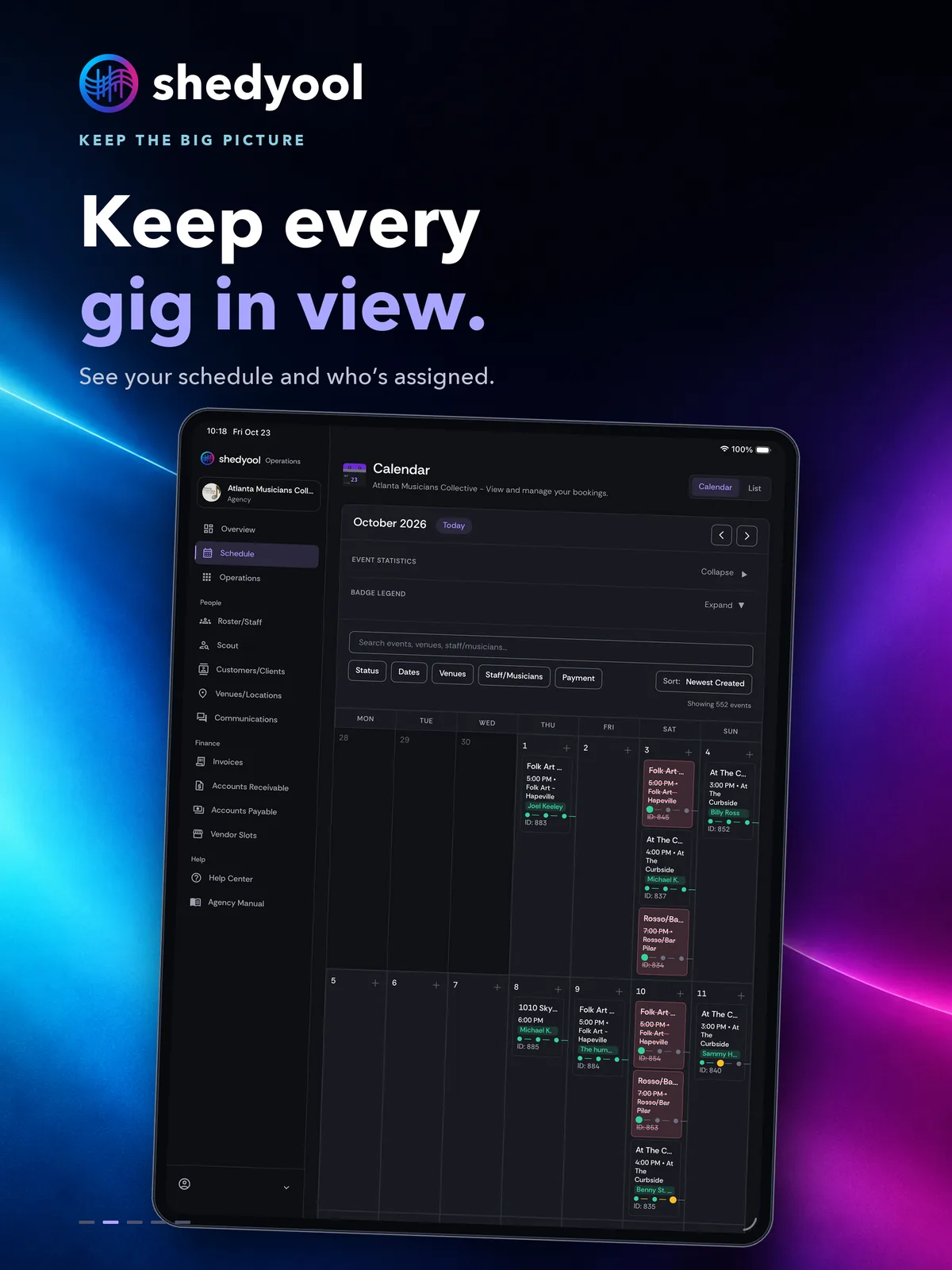
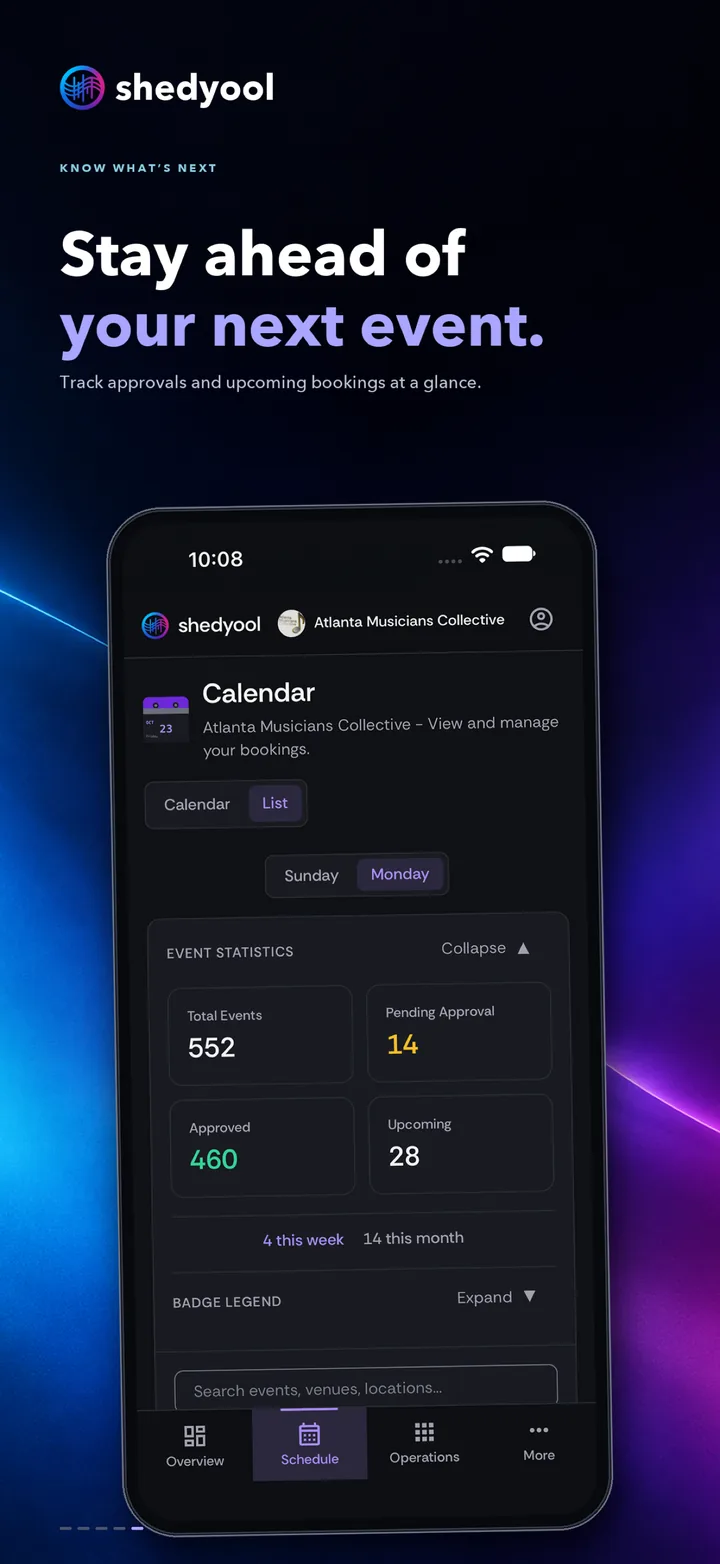
Every gig, every person, one calendar.
Operations replaces the spreadsheets and group texts behind a busy calendar.
Post bookings in minutes. Start from a template, set dates and roles, and notify the right people.
See the whole month. Filter the calendar by status, dates, venues, staff, or payment.
Keep your people organized. Rosters, custom roles, clients, and venues in one place.
Close the loop on money. Invoices, receivables, and payables sit next to each booking.
Every seat, every ticket, every guest.
Events puts ticketing, venue layouts, and the box office in one place.
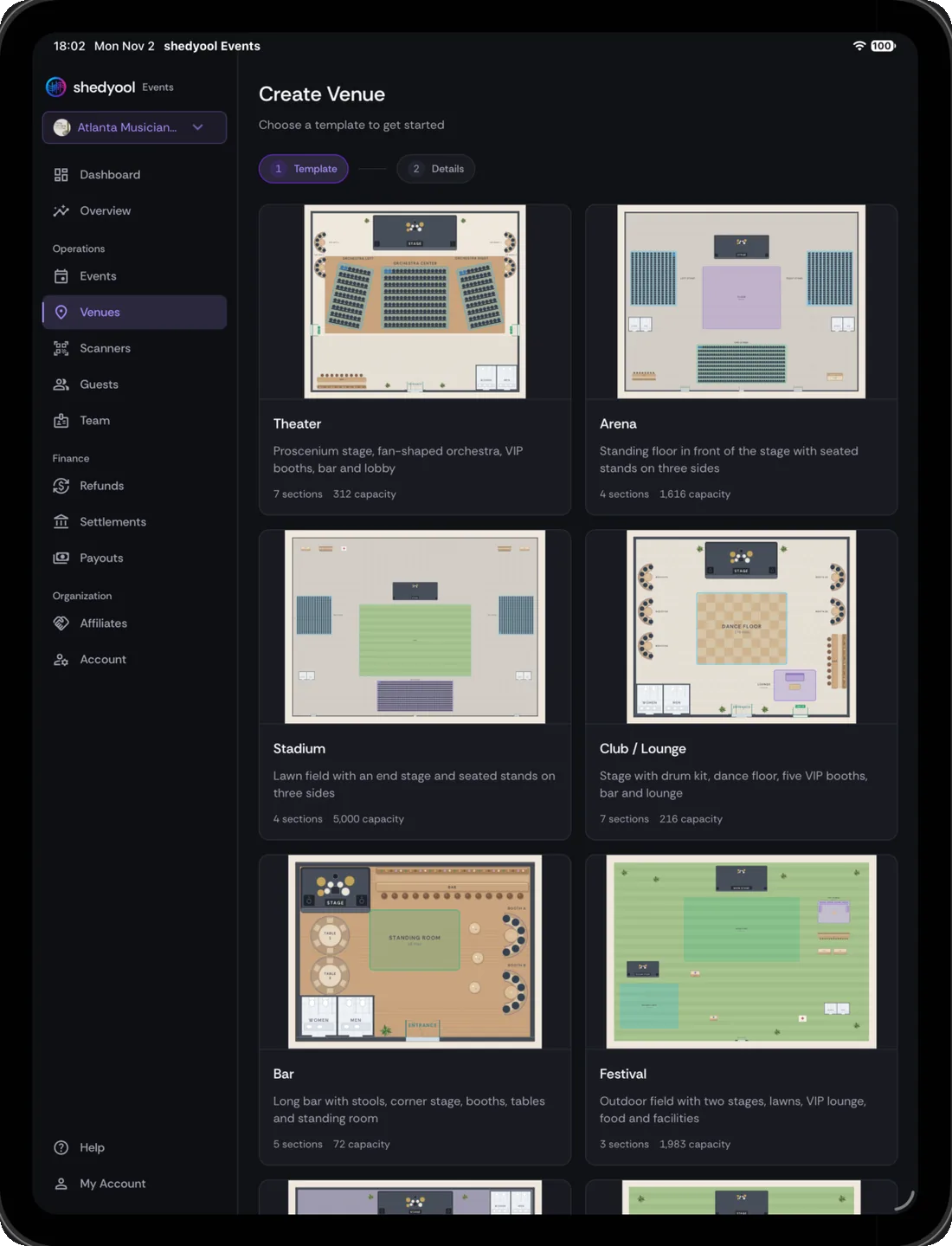
Start from a venue template. Theater, arena, stadium, club, bar, or festival layouts with sections and capacity.
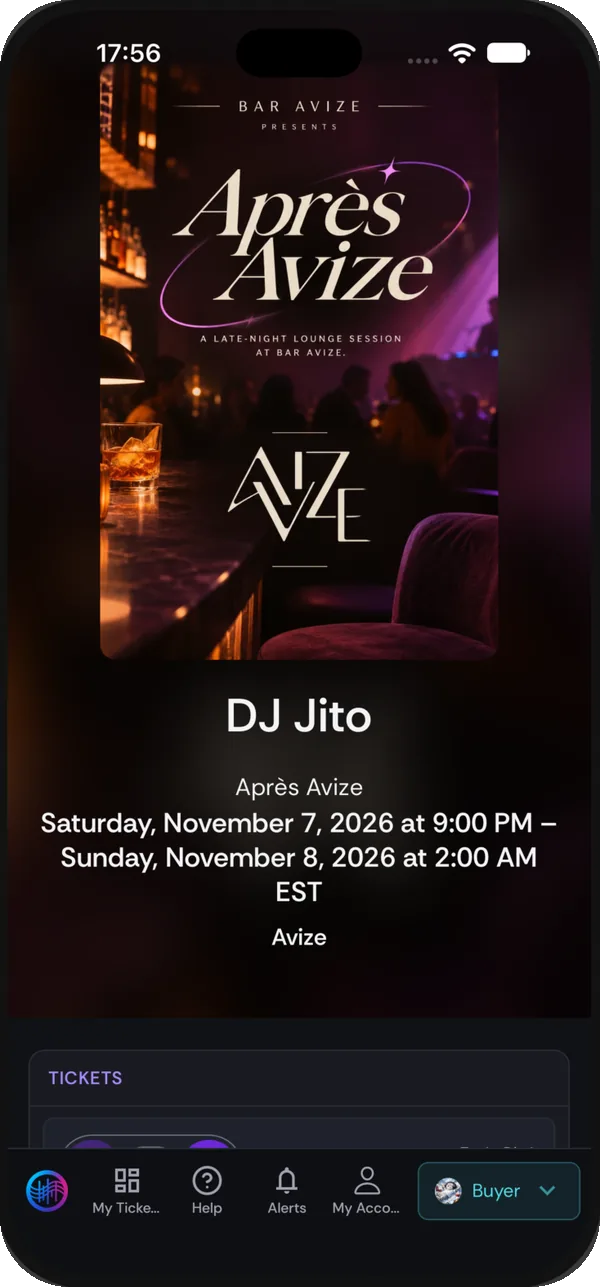
Sell from a real event page. The flyer, details, location, and checkout on one page.
Choose who pays the fees. Pass the flat, published fee to buyers or absorb it yourself.
Ready for the door. Tickets live in the app and Apple Wallet, and scan even without internet.
The event lifecycle
Plan, sell, run, settle.
Each stage is handled by the product built for it, and the products are designed to work together.
- 01Operations
Plan
Post bookings from templates, assign roles and pay, and see every gig on one calendar.
- 02Events
Sell
Create ticket types, reserved seating, and add-ons. You choose who pays the fees.
- 03Access Control · Events
Run
Scan tickets at the door, even without internet, and sell walk-ups at the box office.
- 04Operations
Settle
Track invoices, receivables, and payables for every booking in one ledger.
Why shedyool
Built around how live events actually run.
See exactly how shedyool compares with the platforms you already know, feature by feature.
- Fees you can read
- A flat, published ticketing fee. Pass it to buyers and keep your full ticket price, or absorb it.
- Free to start
- The Entry Plan includes ticketing and a working box office with no subscription.
- Ready for the door
- Offline-safe QR entry and Apple Wallet tickets keep admission moving when the signal drops.
- Back office included
- Bookings, rosters, and invoicing live next to your ticketing instead of in another tool.
Web and iOS
Download the ones your team needs from the App Store.

shedyool Operations
For agencies, organizers, and their teams. Bookings, rosters, and invoices on the go.

shedyool Events
For fans. Discover events, buy tickets, and keep your passes in one place.

shedyool Access Control
For door staff. Scan tickets with offline-safe QR entry.

Start with what you need.
Operations, Events, Access Control, or all three. Set up your account and run your next event on shedyool.